Ideas Sparked by ThingLink: A Recipe for Branching Language Learning with Scenarios and AI
This is a recipe for taking the interactive and immersive language-learning experiences we created in our first two activities and building them into a branching scenario using the ThingLink Scenario Builder, where learners make decisions, experience consequences, practise language in context and reflect on their learning.
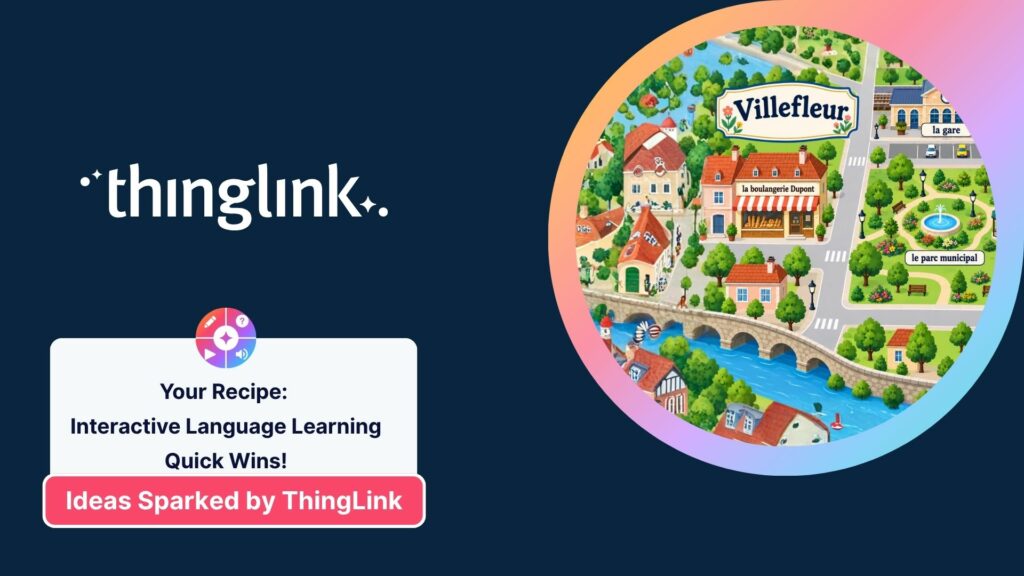
In our first language-learning recipe, we started with interactive images. We transformed familiar activities into visual experiences for vocabulary, reading, speaking and directions, eventually creating the fictional French town of Villefleur.
In our second language-learning recipe, we opened the doors. Villefleur became an interconnected immersive experience where learners could step inside 360° locations, use French to unlock different places, complete contextualised activities and meet Antoine, our French-speaking virtual guide.
Now we are going to build on everything we have created so far.
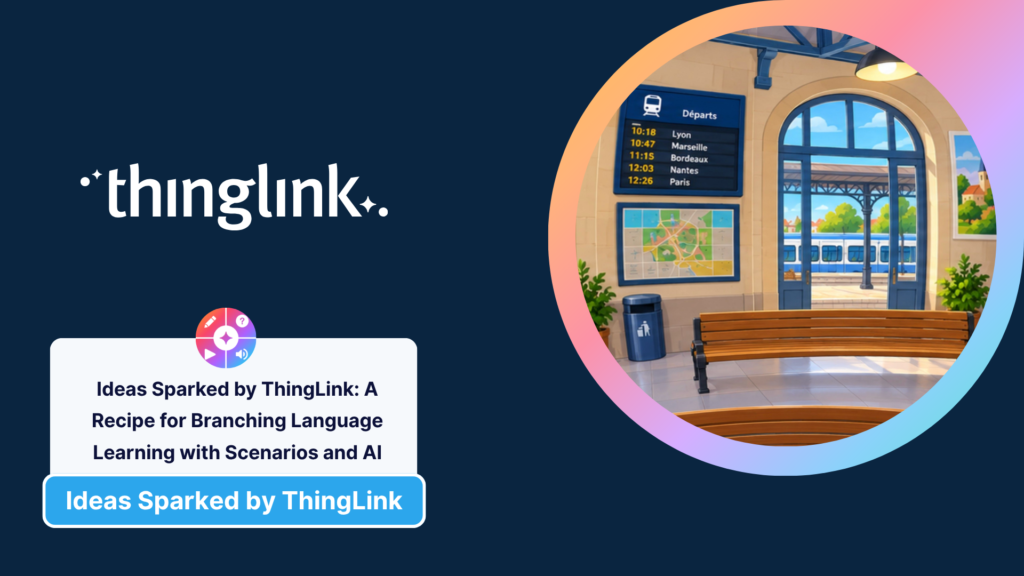
This time, we are heading to La Gare de Villefleur, where learners have a mission. It is 10:07, their train to Lyon leaves at 10:18, and they have just 11 minutes to work out the correct departure, listen carefully to a station announcement, find the right platform and buy the correct ticket from Monsieur Mercier.
But the important part is not whether learners get everything right first time.
They will make choices. Some will be correct and some will not. Those choices will have consequences, and when something goes wrong, learners will be given useful feedback and another opportunity to try.
This is where interactive learning begins to become scenario-based learning.
See the Scenario in Action
Your Ingredients
- Activity type: Branching language-learning scenario
- Difficulty: Intermediate, but easy to build gradually
- Preparation time: Flexible. Start with one decision and build from there
- Learner challenge level: Entirely up to you
- Best served: Individually or in pairs
- Tech tools: ThingLink Scenario Builder, ThingLink Multimedia Editor and optional AI tools for media, questions and supporting content
- Works well for: Listening, reading, decision-making, transactional language, vocabulary, role-play preparation, problem-solving, retrieval practice and reflection
Webinar Three of our language-learning trilogy, From Practice to Conversation: Build Confidence with Scenarios and AI, shows the complete La Gare de Villefleur scenario and how it was built from a blank Scenario Builder canvas.
Watch the Webinar Three replay
You can also access the prompts used to build the experience in the:
Webinar Three Interactive Prompts Hub
The intention is not that everybody should recreate exactly the same French railway station. As with the first two activities, take the structure, prompts and ideas and adapt them for your learners, language and context.
1. Start With the 5 Cs
Before opening the Scenario Builder, decide what your scenario is actually asking learners to do.
For La Gare de Villefleur, we used five simple design principles:
Context
Where is the learner and what is happening?
The learner arrives at La Gare de Villefleur at 10:07.
Challenge
What do they need to achieve?
They need to catch the 10:18 train to Lyon from Platform 1.
Choices
What decisions will they need to make?
They must identify the correct departure, understand the station announcement and choose the appropriate language to buy a single ticket.
Consequences
What happens because of those choices?
Correct decisions move the learner forward. Incorrect decisions produce meaningful feedback and return them to an earlier point so they can reconsider the evidence and try again.
Contemplate
How will learners think about what they have learned?
At the end, they complete an Exit Ticket followed by a short reflective conversation with a Conversational AI Tutor.
The 5 Cs give you a really useful starting framework for designing almost any scenario:
Context → Challenge → Choices → Consequences → Contemplate
Once these are clear, building the actual branches becomes much easier.
2. Set the Scene
The scenario begins outside La Gare de Villefleur.
We created a simple Front Door image showing the exterior of the station and added it as the first Media Block in the Scenario Builder. From there, the learner moves into the 360° station photosphere created during Webinar Two.
There is no need to recreate an immersive environment simply because you are now working in the Scenario Builder. Reuse the media you already have. The town map from Webinar One became the hub for our immersive environments in Webinar Two, and the station created for Webinar Two now becomes part of a branching scenario in Webinar Three.
Your learning resources can grow with you.
If you are new to scenarios, ThingLink’s Introduction to Scenario Builder is a useful place to start.
3. Create the First Meaningful Choice
Once inside the station, the learner sees the departures board.
They know they need to travel to Lyon, but which departure is theirs?
This becomes our first Branching Block.
The question is presented in English:
You’re travelling to Lyon. Look at the departures board. What time does your train leave?
The choices are presented in French:
dix heures dix-huit
dix heures quarante-sept
onze heures quinze
There is an important little piece of learning design here.
The departures board displays numerical times, but the choices are written out in French. Learners cannot simply match 10:18 on the board with 10:18 in the answer choices. They have to understand that dix heures dix-huit means 10:18.
The interaction therefore requires a small transformation of knowledge rather than simple visual matching. That is exactly the kind of detail that can turn a click into a learning interaction.
4. Let Choices Have Consequences
A Branching Block becomes much more interesting when each choice genuinely changes what happens next.
Choose dix heures dix-huit, and the learner has identified the correct train to Lyon.
Choose dix heures quarante-sept, and they discover that they are following the Marseille train.
Choose onze heures quinze, and they have selected the Bordeaux departure.
But an incorrect decision does not end the activity.
The learner receives an explanation of what went wrong and is returned to the station so they can look at the evidence again. This is one of the most important principles in the whole activity:
Recovery, not dead ends.
A wrong answer should not simply produce a big red cross and stop the experience. It can become part of the learning.
Explain the misconception. Give the learner another opportunity to look, listen or think. Then let them try again.
In a branching scenario, the consequence itself can teach.
5. Add Listening With a Purpose
Once learners have identified the correct train, they hear a station announcement:
Attention s’il vous plaît. Le train à destination de Lyon partira à dix heures dix-huit du quai numéro un…
Now they need to listen for a specific piece of information.
Which platform does the train leave from?
The learner is not listening to an audio clip simply because we wanted to include some audio. They need the information in the recording to continue their journey.
That gives listening an immediate purpose.
A Multiple Choice Question checks whether they identified quai numéro un, with useful feedback if they need to listen again.
This same structure could work brilliantly for all kinds of authentic listening tasks. Learners might need to understand an airport announcement, a café order, hotel information, directions, an appointment time or a workplace instruction before they can proceed.
6. Move From Understanding to Communicating
Having found the correct platform, our learner now needs a ticket.
Enter Monsieur Mercier.
A Text Block introduces our friendly ticket agent, together with a short French audio greeting:
Bonjour ! Bienvenue au guichet. Comment puis-je vous aider ?
The next Branching Block asks the learner:
You need a single ticket to Lyon. What do you say to Monsieur Mercier?
They choose between three plausible French responses: the correct request for one single ticket, a request for a return ticket or a request for two tickets.
Again, each choice has a consequence.
Ask for the correct ticket and Monsieur Mercier understands exactly what you need.
Ask for a return ticket and he begins preparing the wrong ticket type.
Ask for two tickets and he assumes you are travelling with somebody else.
The incorrect routes explain what the learner has accidentally communicated and take them back to Monsieur Mercier to try again.
The language now matters because it changes the outcome of the interaction.
That is a very different experience from choosing an answer in an isolated vocabulary quiz.
7. Build Recovery Loops
Recovery loops deserve particular attention because they are one of the most useful features of branching learning.
In La Gare de Villefleur, the two incorrect departure choices loop learners back to the station. The two incorrect ticket choices return them to Monsieur Mercier.
The learner sees the consequence of the choice, receives useful feedback and then revisits the point where the decision needs to be made.
This creates a safe environment for failure.
Learners can experiment, misunderstand something, recover and continue.
And because they have just experienced the consequence of the wrong choice, the second attempt has context.
You can use recovery loops in almost any subject or professional-learning scenario. A learner could choose the wrong safety procedure, communication response, clinical action, customer-service approach or mathematical method, experience an appropriate consequence and then return to reconsider their decision.
The aim is not to punish a mistake. It is to make the mistake useful.
8. Finish With an Exit Ticket
Successfully buying the ticket does not have to be the end of the learning.
After the final correct consequence, we used ThingLink’s AI tools to generate a short five-question Exit Ticket reviewing the language and understanding developed during the scenario.
The Exit Ticket revisits ideas such as time, travel vocabulary, the station announcement and appropriate transactional French, but avoids simply repeating the exact questions learners have already answered.
This provides a useful final knowledge check and helps move learners from successfully completing the story to consolidating what they have actually learned.
ThingLink’s Scenario Builder AI tools can help generate these question blocks directly inside the scenario.
As always with AI-generated learning content, check the questions and answers before publishing them. AI can speed up the creation process, but you remain responsible for ensuring that the language, level and learning are right for your students.
9. End With Reflection, Not Another Test
The final block in the scenario is a Conversational AI Tutor.
This is deliberately different from another assessment.
The learner has already completed the scenario and the Exit Ticket. Now the AI acts as a short reflective guide, asking two or three questions about how the learner approached the activity.
What helped them understand the station announcement?
Did visual clues support them?
Which vocabulary did they find useful?
What strategy helped when they were unsure?
The AI asks one question at a time, waits for the learner’s response and helps them recognise the strategies they used successfully.
The purpose is metacognition, not another quiz.
This is an important distinction when using conversational AI in learning. Sometimes we want AI to simulate a person or situation. At other times, its most useful role is simply to help a learner stop, think and articulate what they have learned.
In this scenario, we use Tutor Mode as that reflective guide.
10. Make Time Part of the Story
The final touch is an 11-minute timer.
This is not an arbitrary countdown.
The scenario begins at 10:07 and the train leaves at 10:18, so learners have 11 minutes to complete their mission.
That means the timer makes sense inside the narrative.
It creates a little urgency and helps the activity feel like a mission rather than a collection of separate questions.
If you use time pressure, however, think carefully about your learners. The timer should add to the experience rather than create an unnecessary barrier. Where appropriate, offer additional time or remove the timer entirely for learners who need it.
The story serves the learning, not the other way around.
Five Hot Tips for Building Brilliant Branching Scenarios
🔥 Hot Tip 1: Start With One Decision
You do not need an enormous branching tree.
Begin with one meaningful decision and ask what could happen next.
Create the correct route, add one or two plausible incorrect choices and decide what useful consequence each one could produce. Once that works, build the next decision.
A small scenario with purposeful choices will almost always be more effective than a huge scenario full of branches that do not add anything to the learning.
🔥 Hot Tip 2: Make Consequences Teach Something
The consequence should help learners understand why their choice mattered.
Instead of simply saying Incorrect, explain what their choice actually meant.
In our ticket example, asking for un billet aller-retour does not produce a generic wrong-answer message. Monsieur Mercier starts preparing a return ticket because that is what the learner has asked for.
The consequence makes the language visible.
🔥 Hot Tip 3: Keep Instructions and Target Language Distinct
For this GCSE French activity, instructions, explanations and feedback are written in English, while the language learners need to understand or produce is in French.
That separation helps learners understand the task while keeping the cognitive challenge focused on the target language.
You can change that balance depending on age, ability and learning objectives, but make the decision deliberately.
🔥 Hot Tip 4: Keep Your AI Work in Context
If you are using an AI tool to help create related images, choices, feedback and language, working within the same conversation can be really useful.
The AI already understands the scenario, visual style, characters and language level, so you do not have to keep rebuilding that context for every new asset.
You still need to check every output, but maintaining context can make the workflow much more efficient.
🔥 Hot Tip 5: Test Every Route
Branching scenarios need testing.
Follow the successful route from beginning to end and then deliberately take every incorrect route.
Check that learners return to the correct point, that no block leads to a dead end, that media plays properly and that the final Exit Ticket connects to the Conversational AI Tutor.
The Scenario Builder editor makes the overall structure visible, which is particularly useful as your scenario becomes more complex.
A missed connection can completely change the learner experience, so always preview before sharing.
It HAS to Be Accessible for All
Branching experiences should offer meaningful challenge without creating unnecessary barriers.
Provide captions or written alternatives for important audio, use clear instructions, make feedback easy to understand and ensure that learners do not need to rely on one sensory channel alone to progress.
Think carefully about the language level too. The purpose of the activity is not to catch learners out with unnecessarily complicated instructions. Challenge should come from the learning objective.
Timers also need consideration. For some learners, time pressure can add energy and authenticity. For others, it can prevent them from demonstrating what they understand. Build flexibility into the activity where needed.
And remember that accessibility is about more than technical compliance. It is about giving learners realistic opportunities to participate, understand, make choices and succeed.
The Learning Debrief
The activity does not have to finish when the train leaves the station.
Bring learners back together and ask what happened during their journey. Which decisions were easiest? Which language clues helped them? Did they make an incorrect choice and, if so, what helped them correct it? Which parts of the station announcement did they listen for, and how confident would they feel using the language in a real situation?
You could also ask learners to examine the structure itself. Where were the branching points? What happened after each choice? Why did the recovery loops work? What other situations could use the same structure?
Then let learners design their own scenarios.
They might create an interaction in a restaurant, hotel, airport, shop, doctor’s surgery, tourist information centre or workplace. They could write the choices, create the consequences and decide where an incorrect route should take the learner next.
At that point, learners are no longer simply completing a scenario.
They are thinking like learning designers.
Ready to Serve
You now have the basic ingredients for creating a branching language-learning experience using the ThingLink Scenario Builder:
- A clear context and challenge
- One or more Media Blocks to establish the environment
- Meaningful Branching Blocks
- Plausible choices
- Consequences that explain what happened
- Recovery loops rather than dead ends
- Audio, images and 360° media where they support the task
- Question Blocks to check understanding
- An optional Exit Ticket
- A reflective Conversational AI Tutor
- A timer where it genuinely adds to the story
- A clear learning purpose running through every branch
Start small.
One context. One challenge. One meaningful choice.
Then ask:
What happens next?
That question is at the heart of branching scenario design.
Would You Like to Build La Gare de Villefleur Yourself?
The complete Webinar Three prompts are available in the:
Webinar Three Interactive Prompts Hub
You can follow the full build in:
Webinar Three: From Practice to Conversation – Build Confidence with Scenarios and AI
If you would like to see how we arrived here, catch up with:
Webinar One: Language Learning Made Interactive
Webinar Two: Beyond the Classroom
And explore the prompts from each stage of the journey:
Find out more about the complete series in From Interactive Images to AI Conversations: Enhancing Language Learning with ThingLink.
From Interactive Images to AI Conversations
Across these three activities, we have taken one simple idea and allowed it to grow.
We began by turning static images into interactive language-learning experiences. Then we stepped inside those experiences using immersive 360° environments. Finally, we connected them through branching scenarios where learners make decisions, experience consequences, communicate and reflect.
Look and read. Explore and experience. Decide and communicate.
The technology has become more sophisticated as the series has progressed, but the principle has remained exactly the same: start with the learning, then use the tools that help learners do something meaningful with it.
The town is built. The doors are open. Now the learner decides what happens next. 🌳